Regular Season Membership Preview
Thank you for considering Elite Fantasy Basketball! Monthly regular season memberships are now available for $2.50 per month. Sign up here: SUBSCRIBE
Here is what a monthly subscription gives you access to:
League Upload & Settings Page (The first step after sign up)
- You can connect your league(s) to the site and all the tools through the League Settings and Upload page. The page is under the tools menu and can be accessed via the following link: League Upload & Settings
- The site can connect to Yahoo, ESPN, and Fantrax. The League Settings tool also offers a manual upload option for leagues on other sites. Connecting to Yahoo requires the use of either the Chrome or Firefox EFB extension. The initial upload of a Yahoo league must be done on a desktop, but after the initial upload all the tools will work on both desktop and mobile. ESPN and Fantrax leagues do not require the extension for any of the regular season tools. ESPN users only need the extension if they plan on using the Draft Tracker for a draft or mock. The EFB Extension page is under the tools menu and can be accessed via the following link: Chrome and Firefox Extensions
- To refresh your leagues so that the tools pull in the latest rosters, click Refresh All on the League Upload & Settings page.
- Once you pull in your league(s) and input its settings (categories, points scoring system, category weights, number of teams, number of roster spots, etc.), all of the tools will remember those settings and automatically adjust for those settings whenever you select that league on the tool page. For those in multiple leagues with different settings, you can switch back and forth between leagues on each tool and the tool will adjust each time.
Rankings
- Category League Rankings customizable for your league settings. The categories supported are PTS, 3PM, REB, AST, STL, BLK, FG%, FT%, TO, OREB, DREB, DD, TD, 3P%, FGM, FTM, 2PM, A/TO, EFG%, TS%, MIN, PF.
- Points League Rankings customizable for your league settings. The rankings support the default scoring settings for Yahoo, ESPN, and Fantrax, and have an option to input custom scoring settings.
Projections
- Year-long category league projections customizable for your league settings. The categories supported are PTS, 3PM, REB, AST, STL, BLK, FG%, FT%, TO, OREB, DREB, DD, TD, 3P%, FGM, FTM, 2PM, A/TO, EFG%, TS%, MIN, PF.
- Year-long points league projections customizable for any points league scoring settings.
- Daily category league projections customizable for your league settings. The categories supported are PTS, 3PM, REB, AST, STL, BLK, FG%, FT%, TO, OREB, DREB, DD, TD, 3P%, FGM, FTM, 2PM, A/TO, EFG%, TS%, MIN, PF.
- Daily points league projections customizable for any points league scoring settings.
- Weekly category league projections customizable for your league settings. The categories supported are PTS, 3PM, REB, AST, STL, BLK, FG%, FT%, TO, OREB, DREB, DD, TD, 3P%, FGM, FTM, 2PM, A/TO, EFG%, TS%, MIN, PF. These projections can be adjusted to show any time period.
- Weekly points league projections customizable for any points league scoring settings. These projections can be adjusted to show any time period.
Tools
- Matchup Tool – This tool projects your head-to-head matchup, using real results for games already played, and lets you add or remove players and games as the matchup progresses.
- The Best Available Player List, Projected Standings, and League Analysis tool. In this tool, you can add and remove players from your and your opponents’ lineups to show the impact of potential additions.
- Streaming Optimizer
- Schedule Analyzer
- Trade Analyzer
- Team Building Tool
- Draft Tracker (available for late drafts and mocks)
- Player Comparison Tool
- Player Pages
- Regression Dashboard
- On/Off Tool
Written Content
- Box Score Analyses – These are released Monday through Thursday. Each game is broken down and pickup, drop, sell-high, and buy-low recommendations are provided for both standard and deep leagues. When a player’s outlook differs across different settings (category, points, Roto, etc.) the difference in value is discussed. To give you an idea of how each Box Score Analysis is structured, here is the Box Score Analysis for October 25th -> 26/27 Oct. 25 Box Score Analysis (7 Games)
- Weekly Schedule Analysis and Streaming Guide – Released every Friday. It previews the week to come and provides a streaming guide for each day of the week.
- Weekly Pickup Article – Released every Friday or Saturday. Pickup recommendations are provided for both standard and deep leagues.
- Various other analyses – Occasionally, during the regular season, box score analyses will be swapped out for different types of analyses. For example, sometime over the first seven weeks of the season, a buy-low/sell-high analysis of the current top 100 (and other notable players) will be released that will look at each number in the player’s current line and discuss whether each number is sustainable.
Projections & Tools Preview
Projections
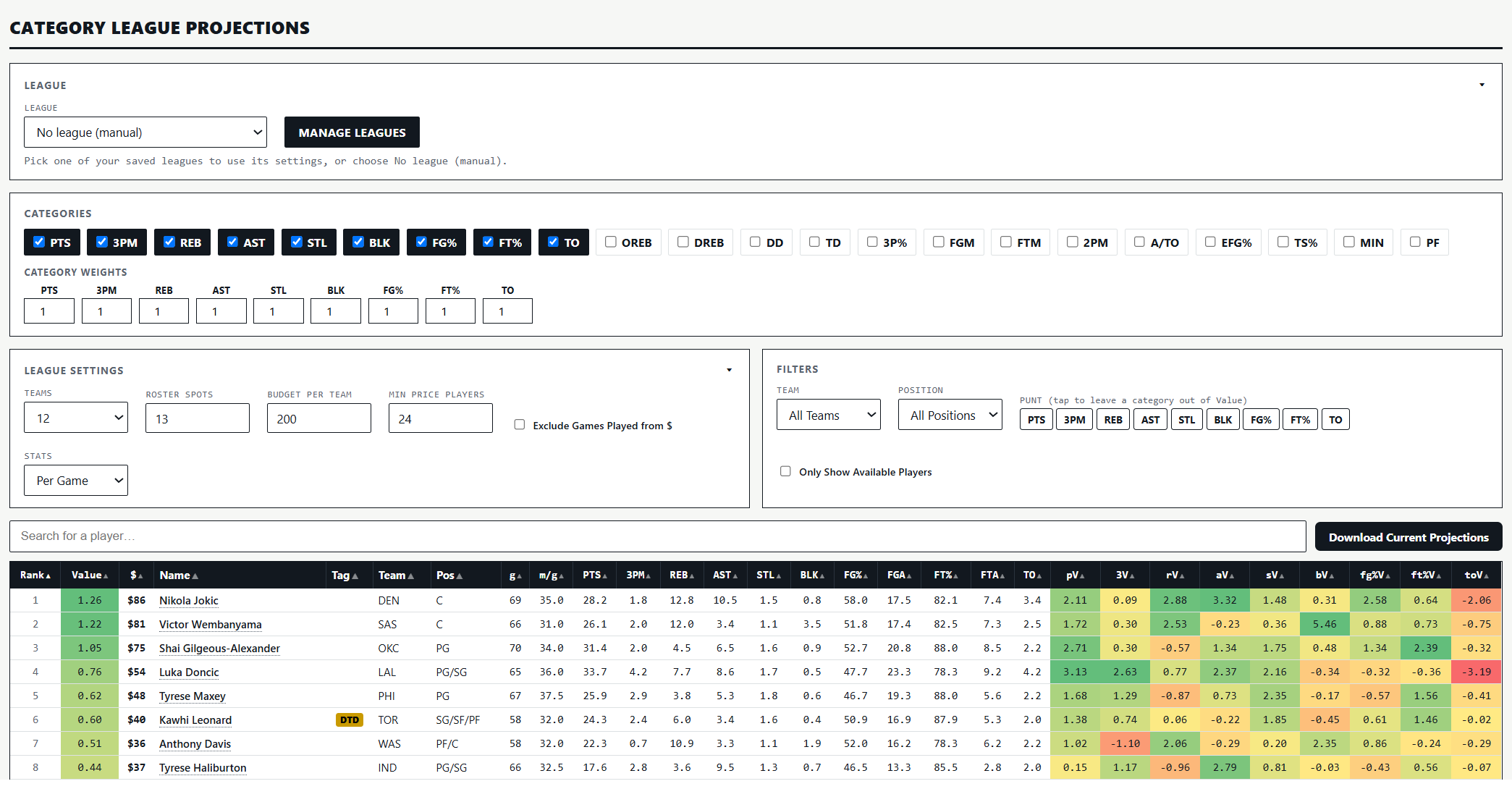
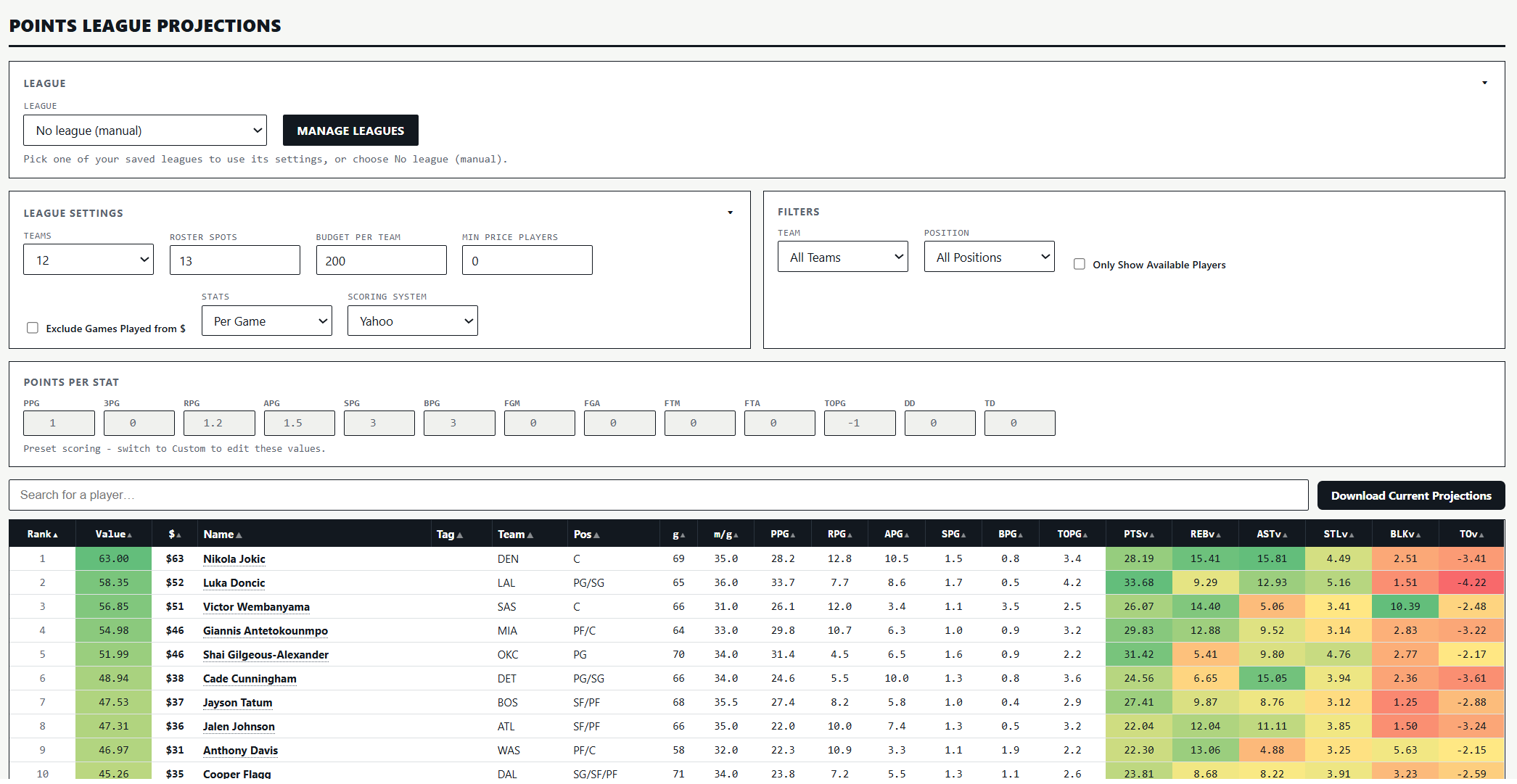
Here are screenshots of the season-long projection pages for both category and points leagues. The weekly and daily projection pages are set up in a similar way. These screenshots show all of the customization options available to subscribers. If you upload the league before using the projection pages, the tool will adjust for your league settings automatically.
Matchup Tool
Link: How to use the Matchup Tool
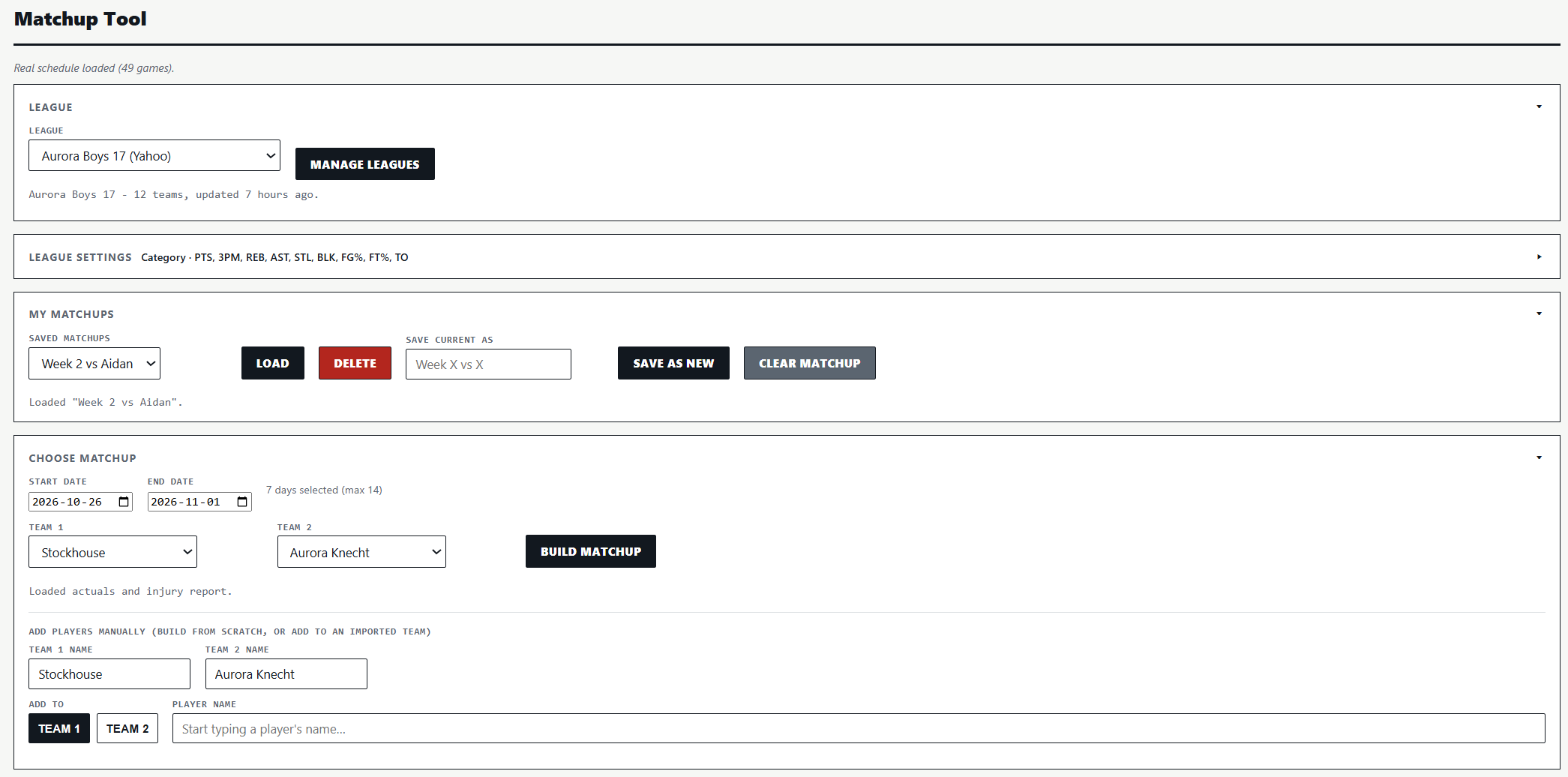
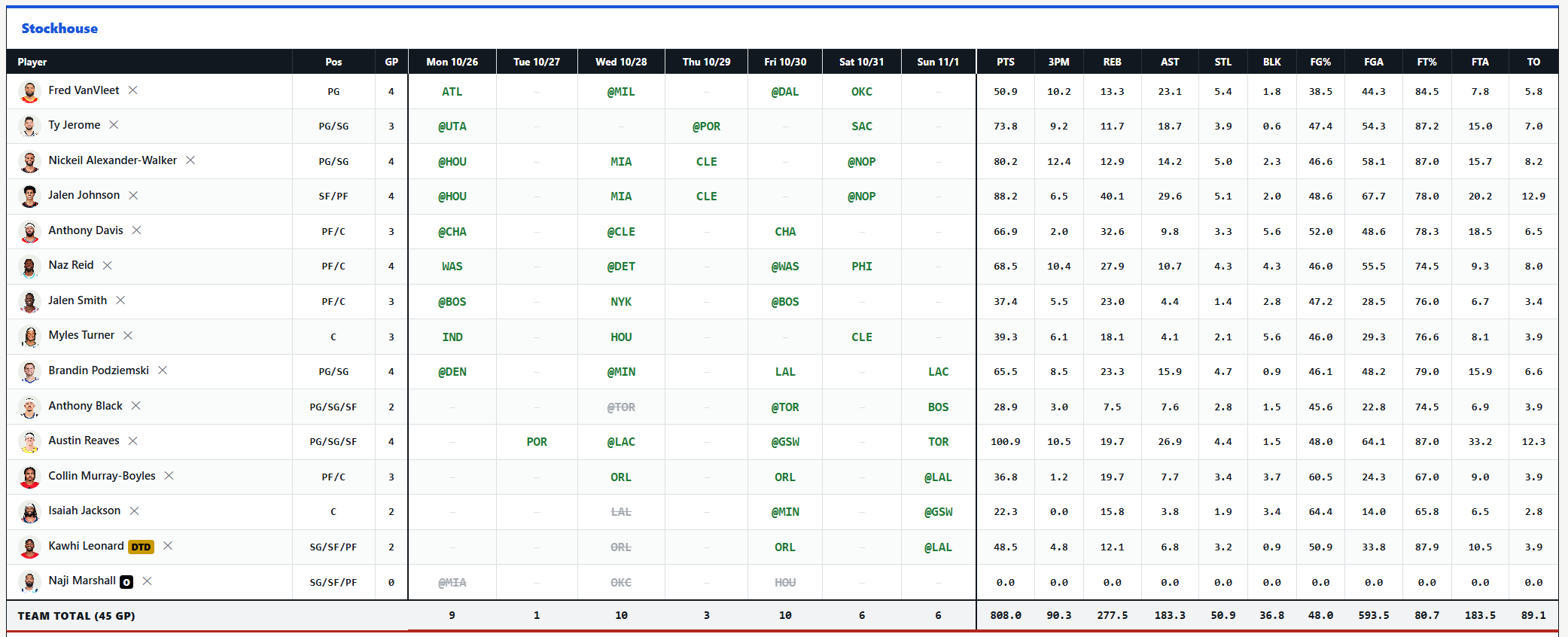
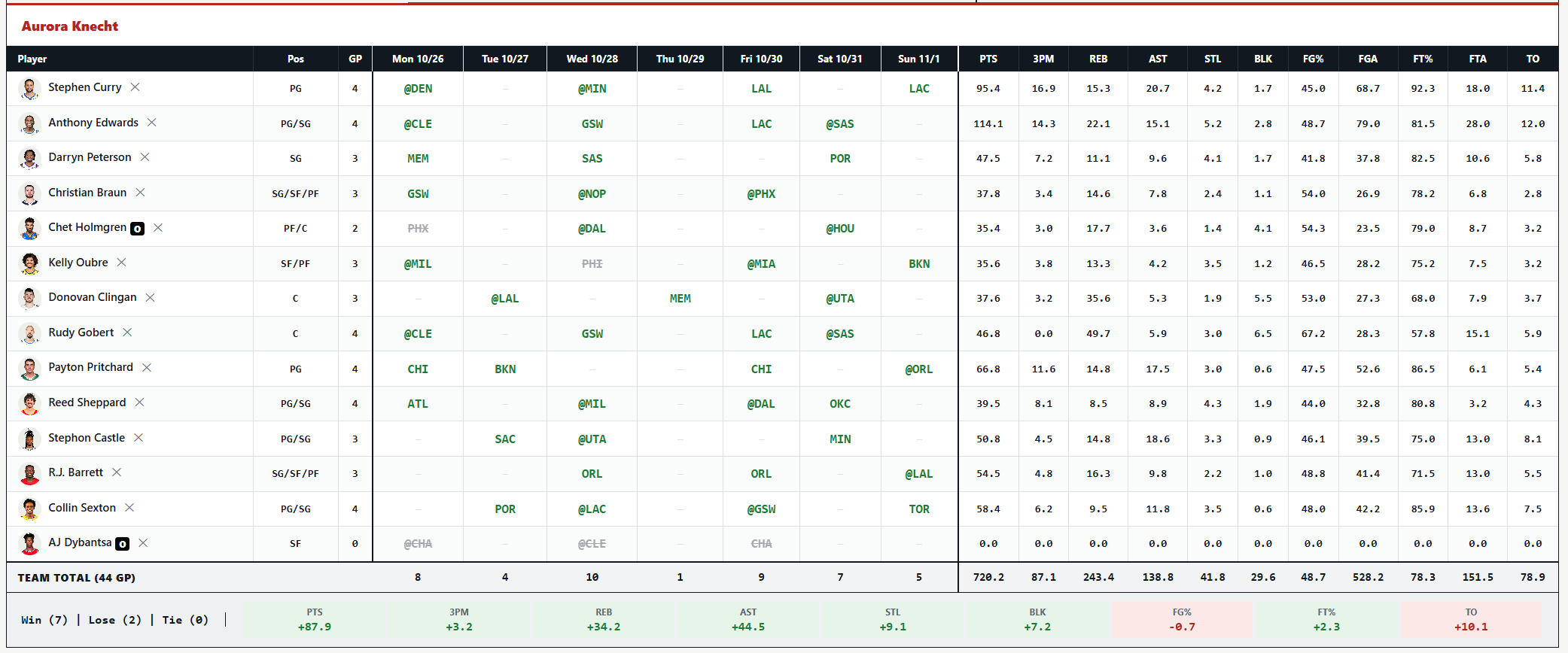
The Matchup Tool is two things at once: a matchup analyzer that tracks how your week is actually going, and a matchup planner that projects what’s left and lets you test moves before you make them. Upload your matchup at the beginning of the week and adjust the tool for any pickups you or you opponent makes. This tool projects your head-to-head matchup, using real results for games already played, and lets you add or remove players and games as the matchup progresses.
Here are some screenshots of the tool. The matchup was created using the league upload option and is a for Week 2 nine-category H2H league.
Streaming Optimizer
The Streaming Optimizer comes up with streaming plans based on your settings and matchup.
How it works:
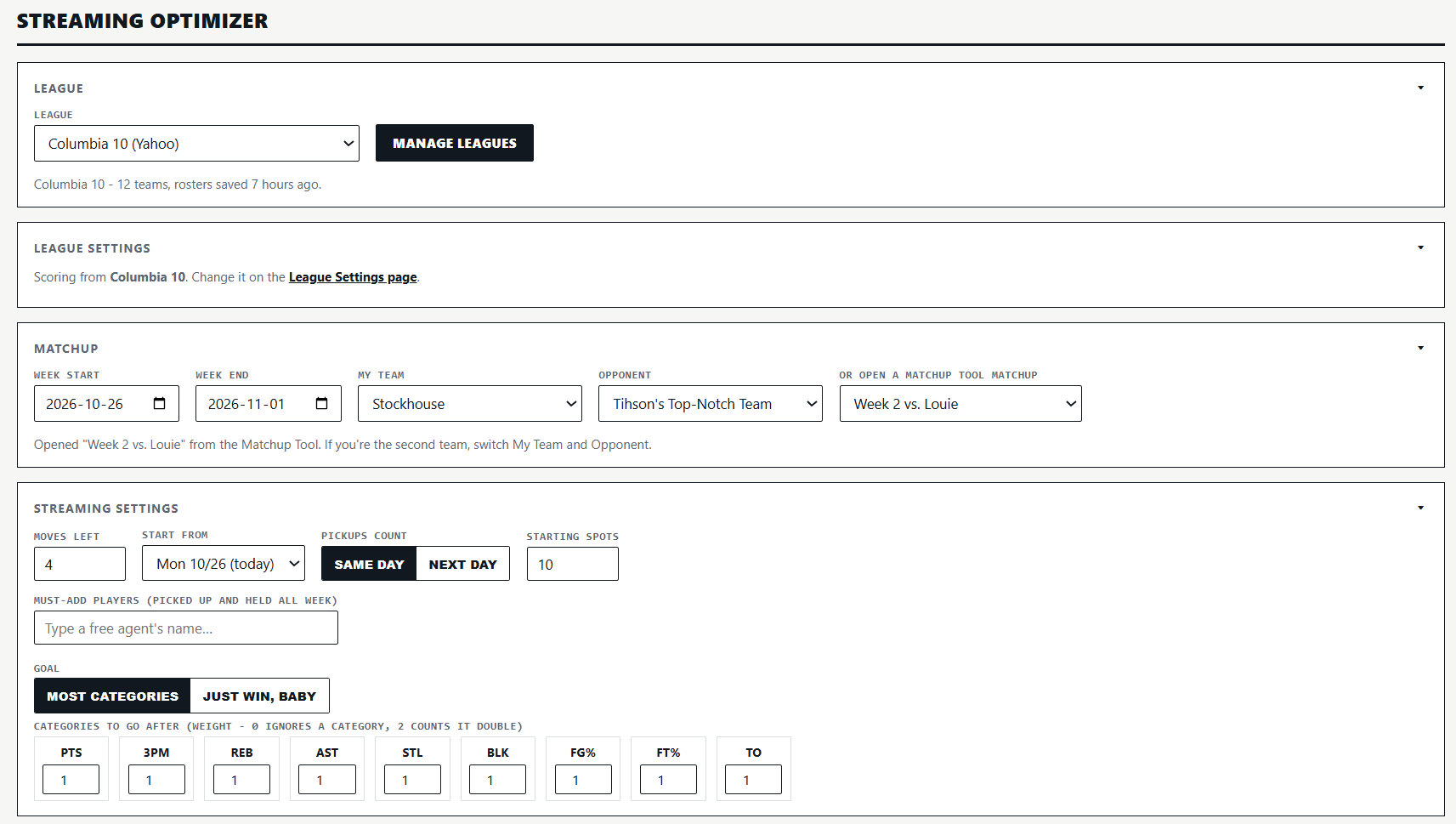
- Subscribers will pick their saved league, their team and their opponent, or open a matchup they’ve already set up in the Matchup Tool. The tool knows who’s available because it checks every roster in the league.
- Subscribers will enter how many moves they have left, the day they want to start from, whether pickups count the same day or the next day, and how many starting spots they have.
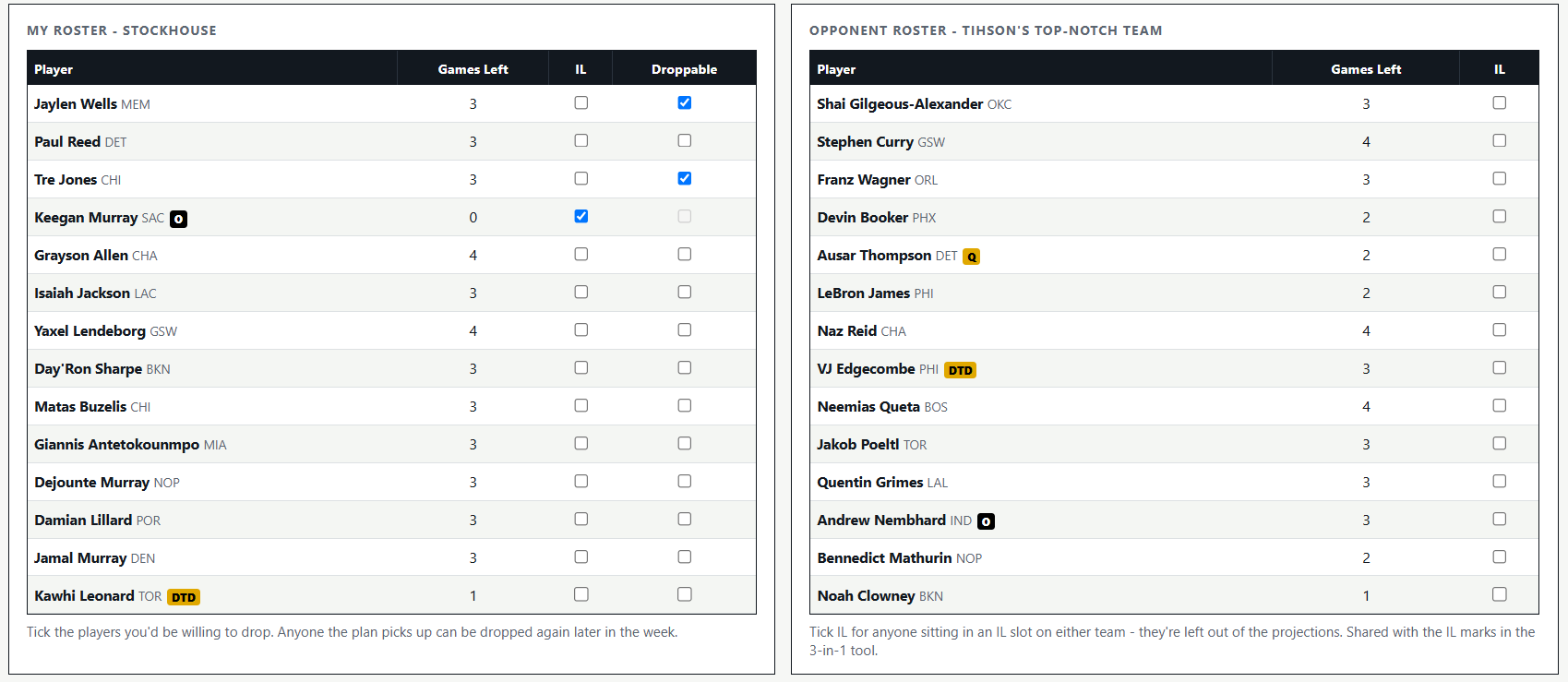
- Subscribers will tick the players they’re willing to drop and mark anyone sitting in an IL slot on either team, so those players are left out of the projections.
- Category league subscribers can adjust the weighting of the categories they want to go after. For example, if 3PM is given a weight of 2, the tool will go after 3PM more aggressively than any category with a lower weight. A category with a weight of 0 will not factor into the streaming plan.
- If there’s a player you want to grab and hold because he might become a long-term piece, you can add him as a must-add and the tool will plan every other move around that player.
What the tool produces:
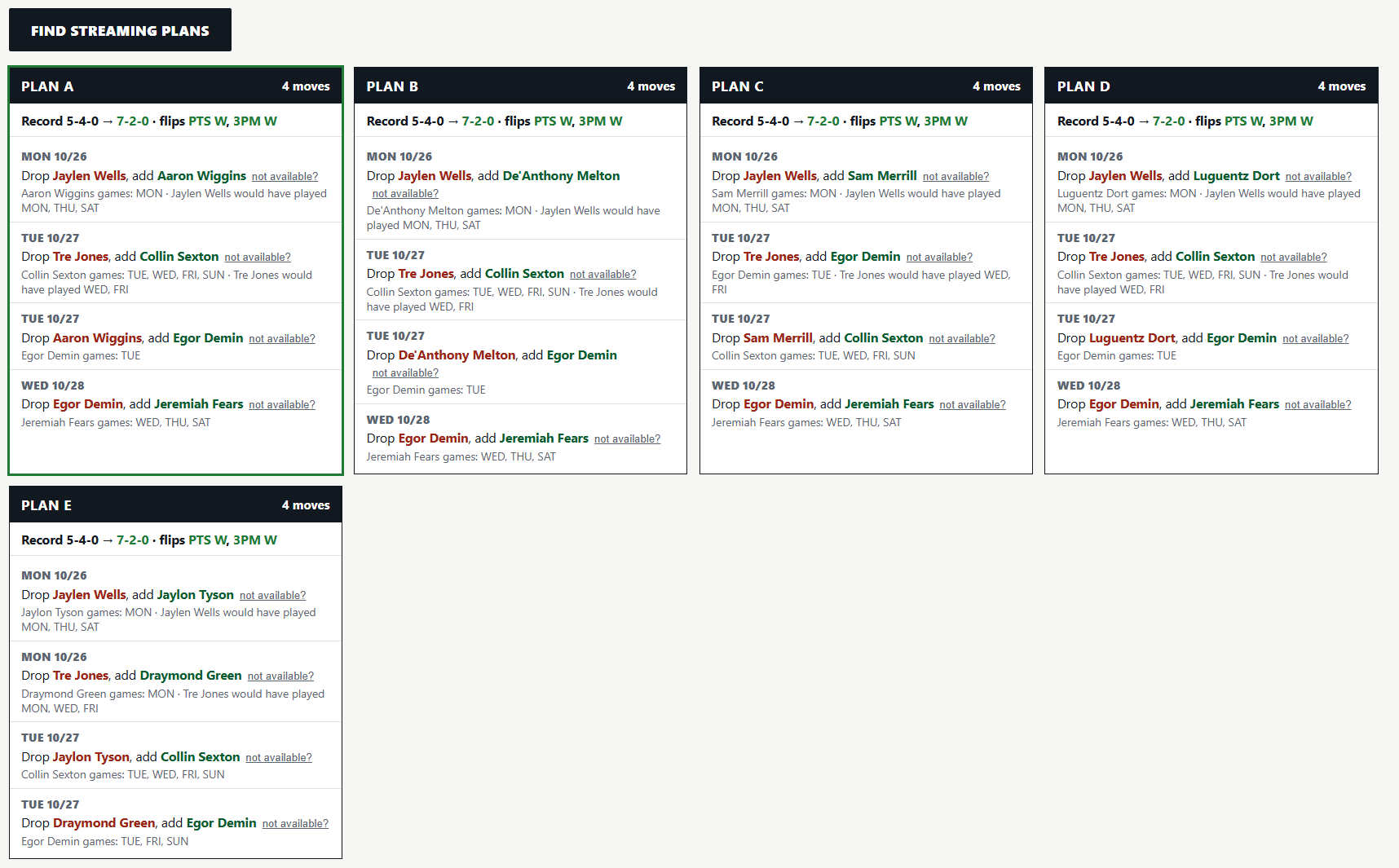
- Up to five different streaming plans, each listing exactly who to drop, who to add, which day to do it and which games are gained.
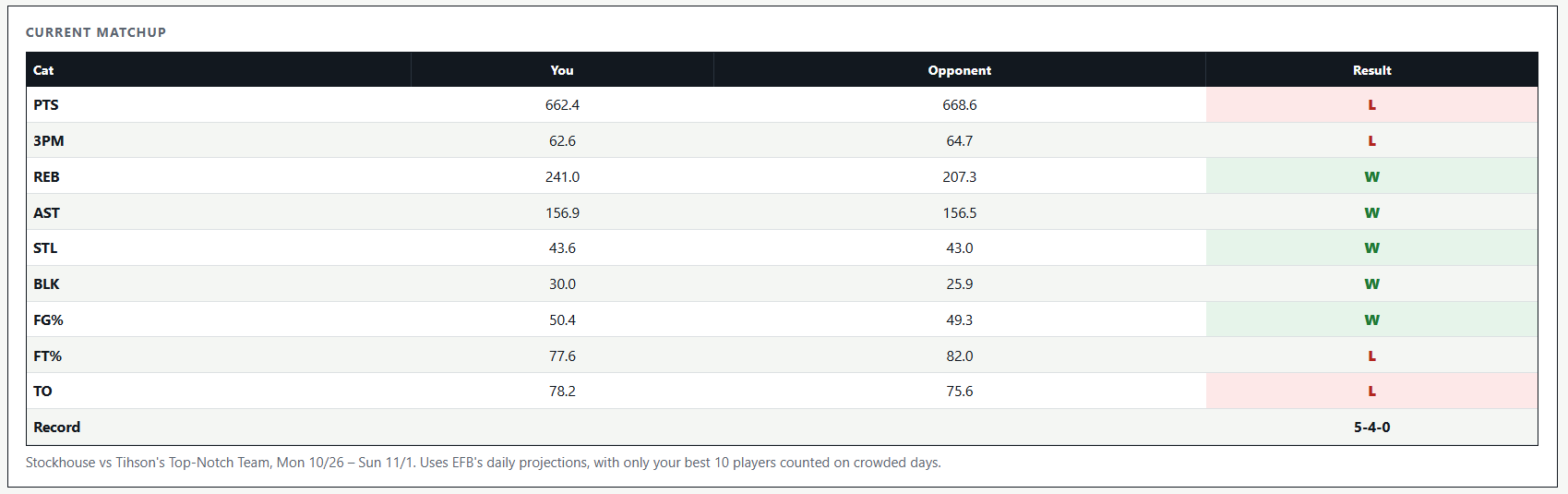
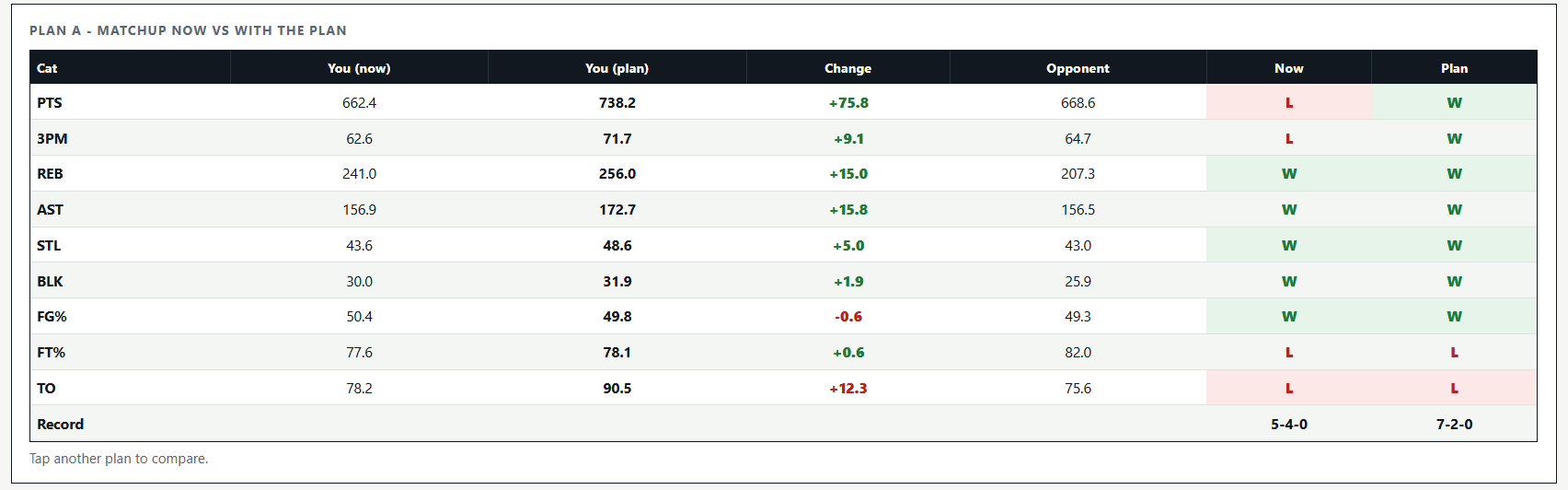
- A before-and-after view of the matchup showing how each plan changes every category, or the projected points total.
Like all of Elite Fantasy Basketball’s tools, the Streaming Optimizer works for any category or points league scoring setting.
Here are some screenshots of the tool being used to analyze a Week 2 matchup that was originally projected to be 5-4.
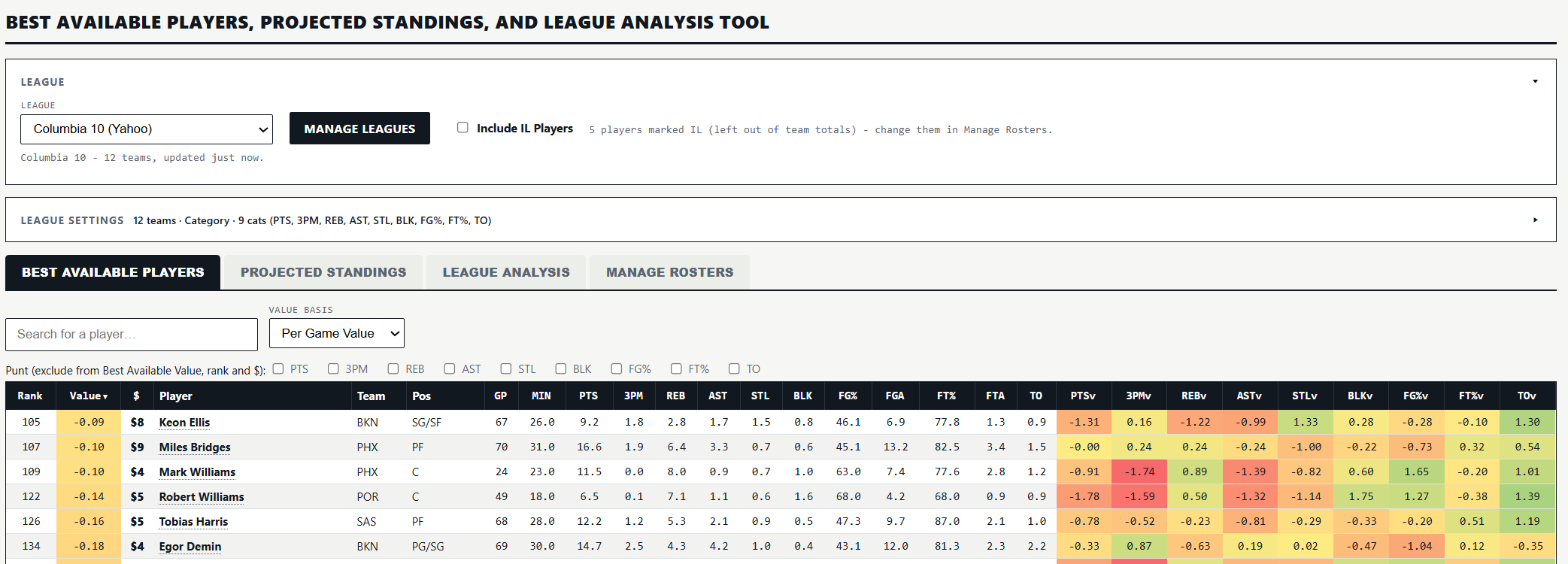
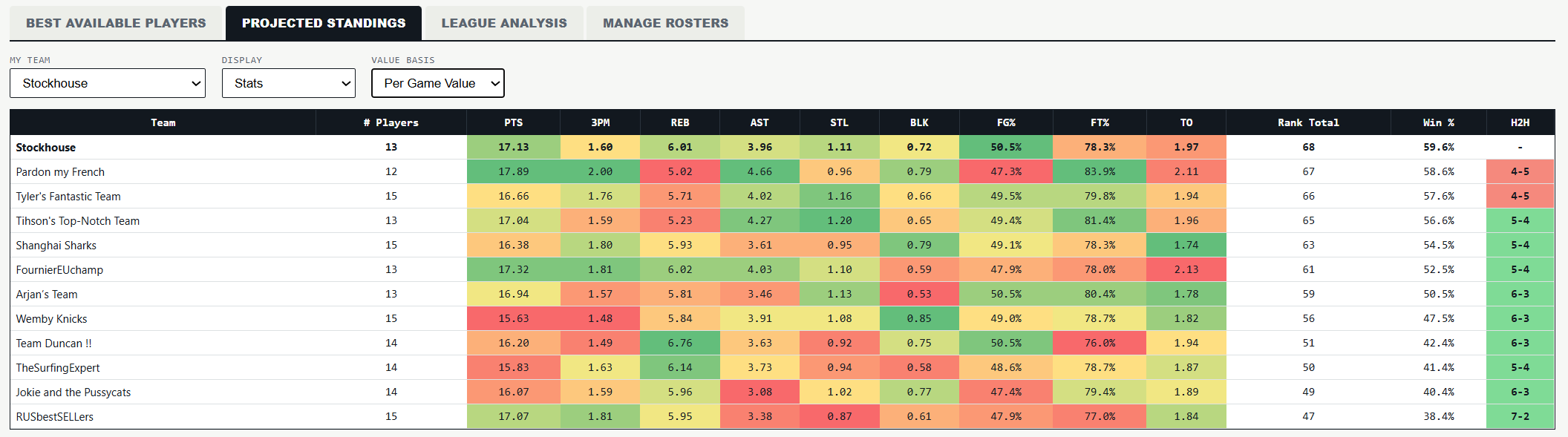
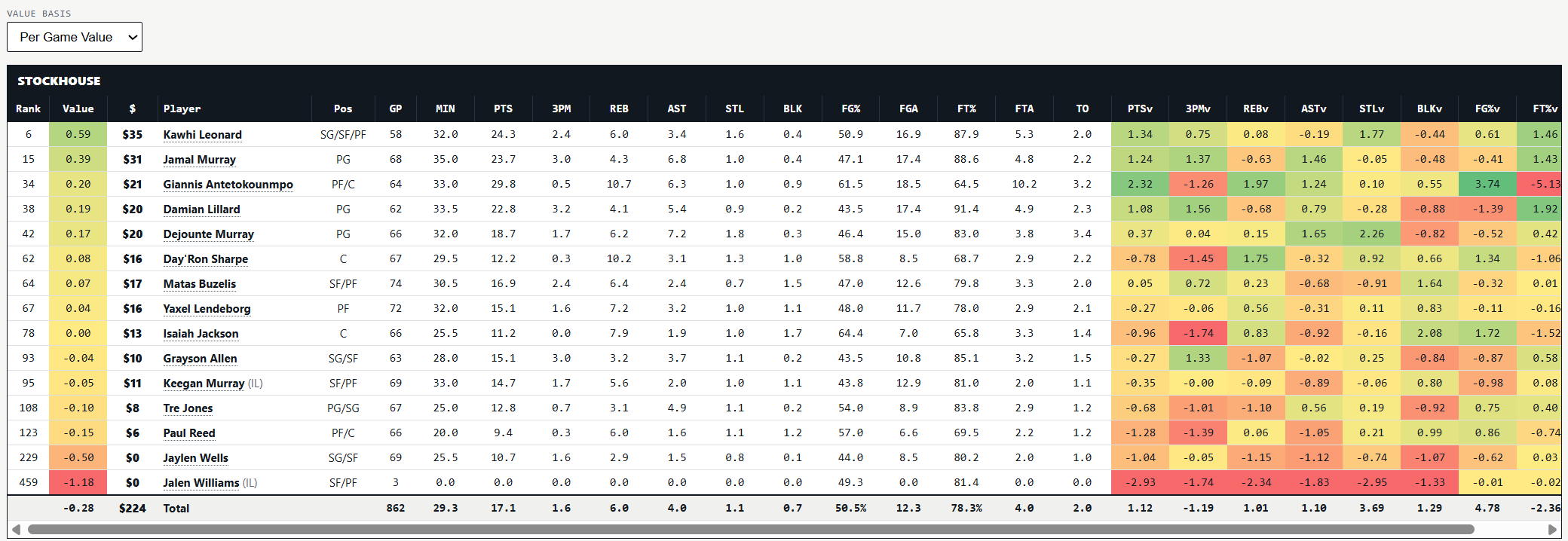
Best Available Players, Projected Standings, and League Analysis Tool
See the best available free agents in your league, projected standings for every team, and a category-by-category breakdown of each roster, with the option to test adds and drops before you make them.
Trade Analysis Tool
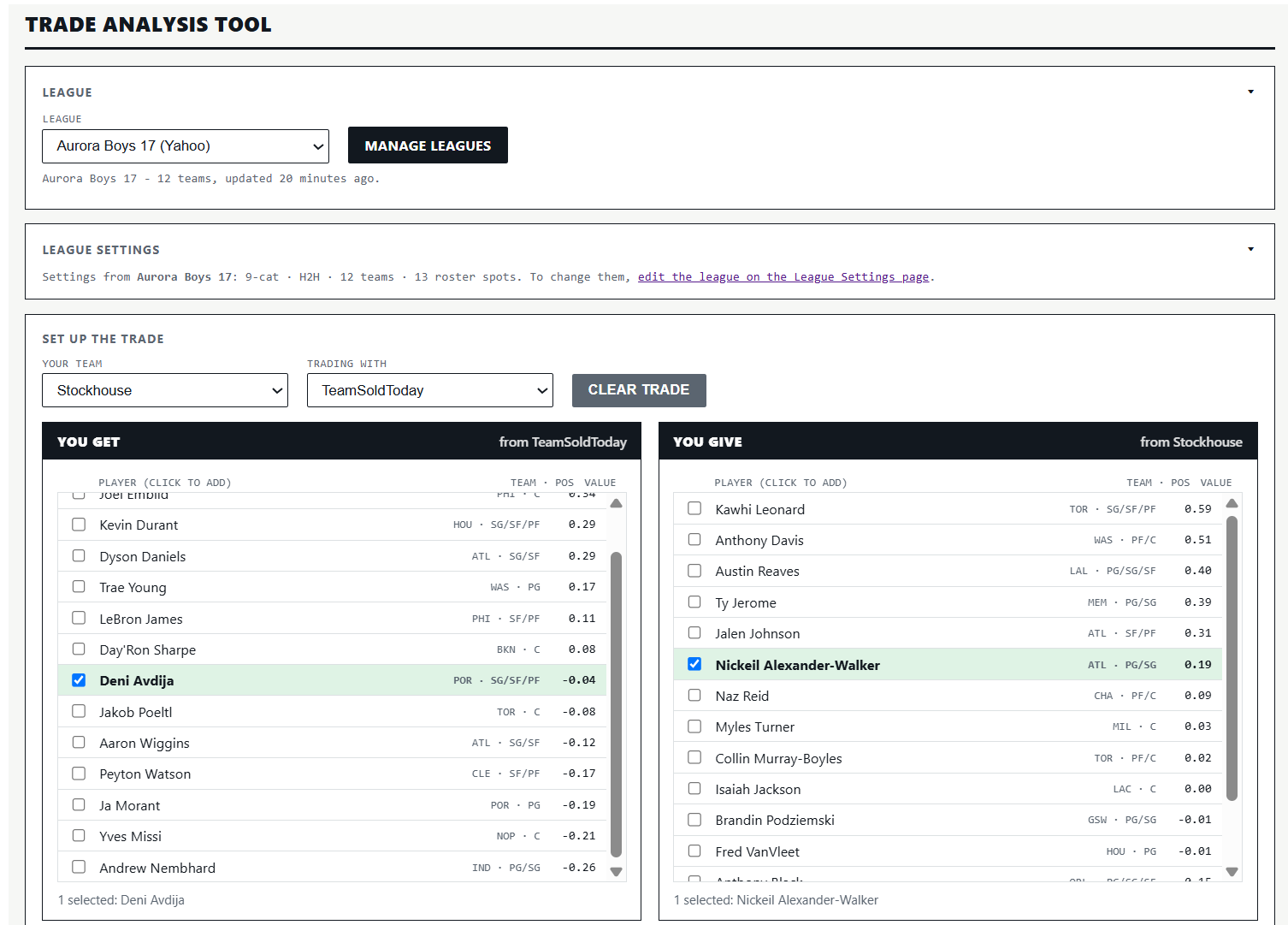
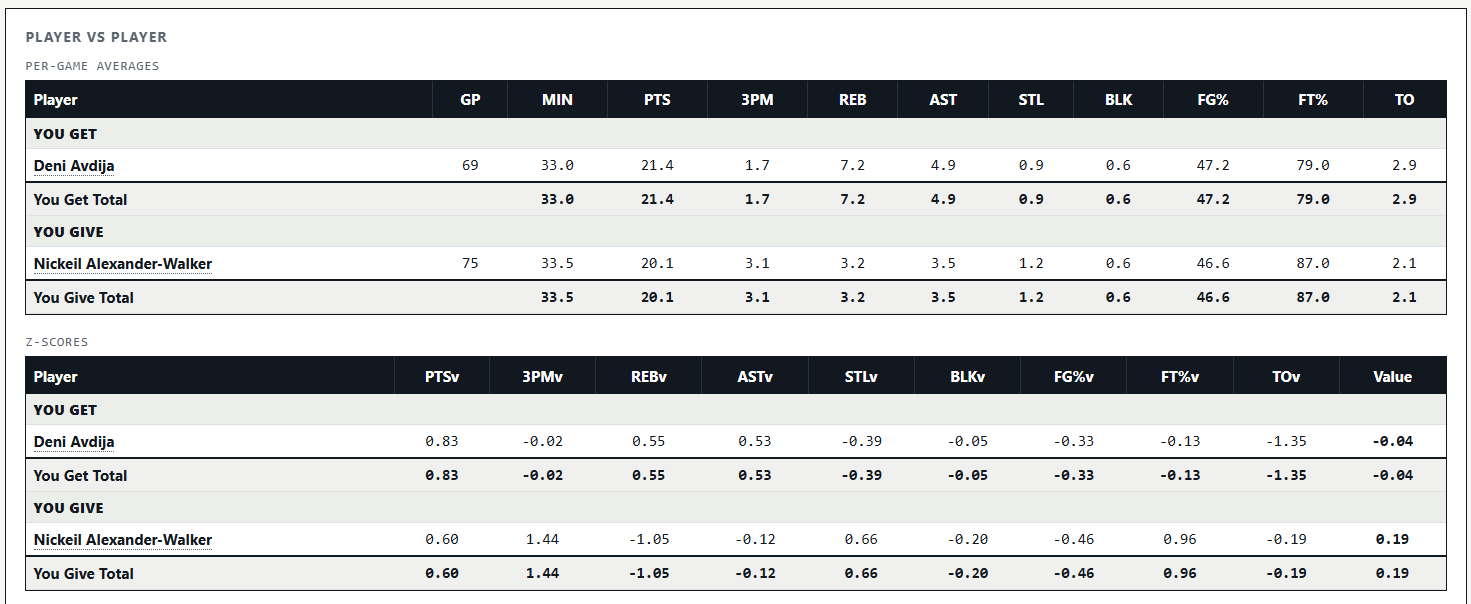
Find out whether a trade actually helps your team before you accept it. Add the players you’d get and the players you’d give up, and the tool lines them up side by side: per-game stats, value in each category (or fantasy points in points leagues), and the net difference in every category.
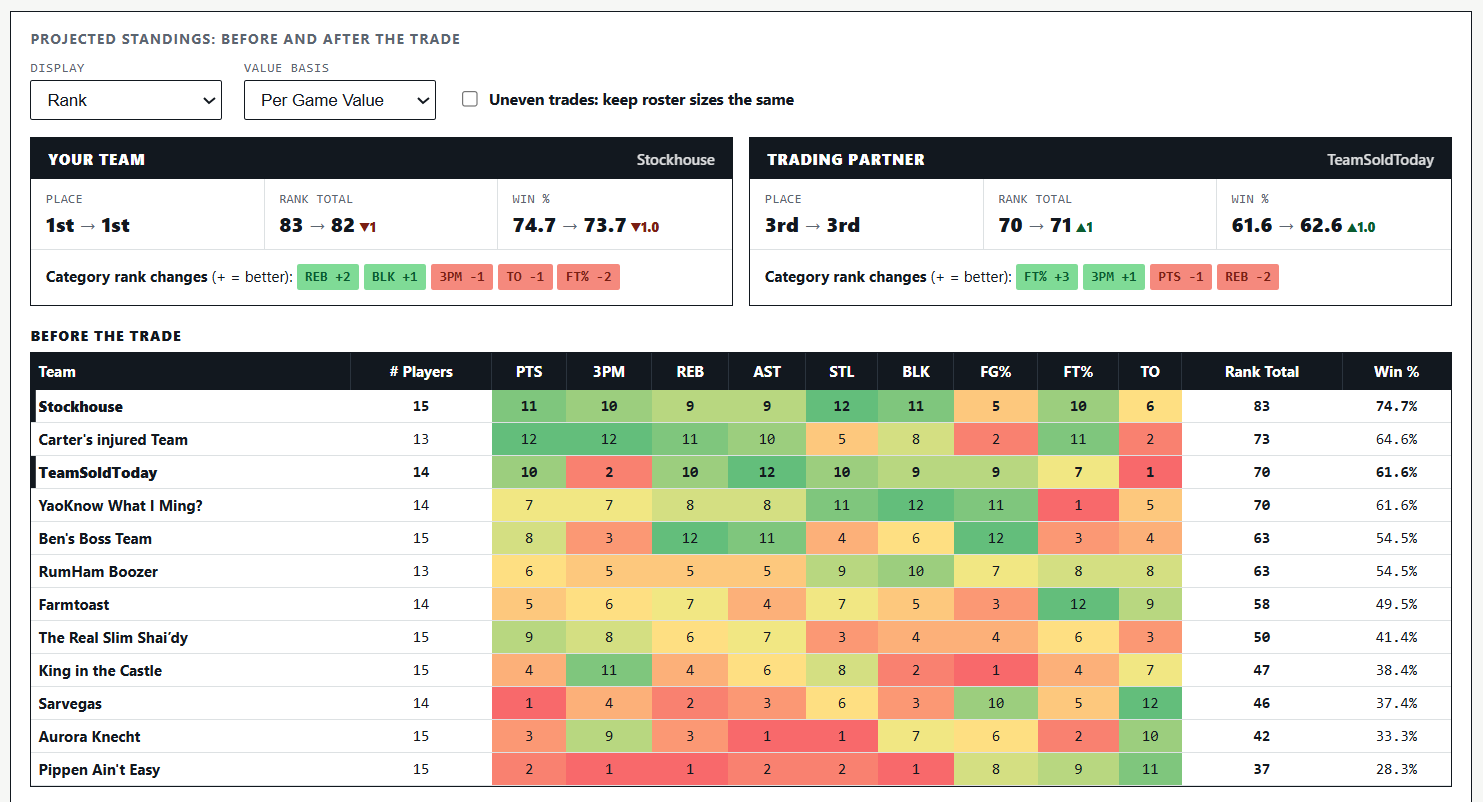
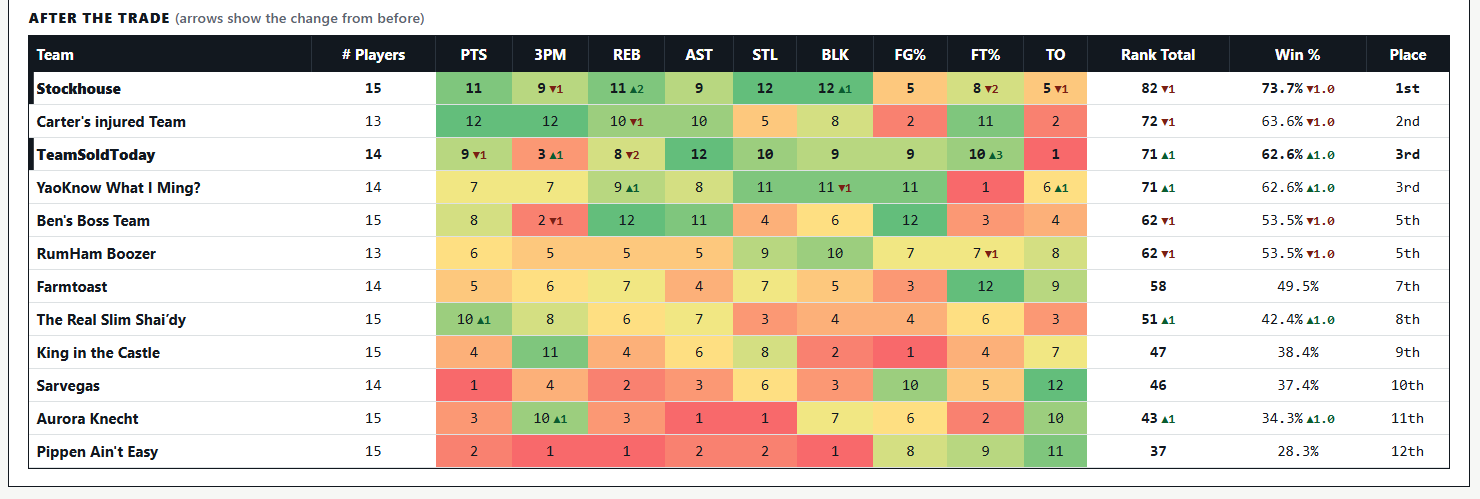
If you upload your league, the tool will give you projected standings before and after the trade. You’ll see where your team finishes, how your category ranks or point totals change, and how the trade affects your trade partner. It works for any uploaded category or points leagues.

Schedule Analyzer
The new Schedule Analyzer tool will look very familiar to returning subscribers. The Schedule Analyzer is the tool version of the streaming guides I put out at the beginning of each week. In addition to providing you with a best available players list for the selected period, the tool also highlights which categories each player can help in. Here is a screenshot of the tool’s recommendations for opening night. The tool has been connected to one of my leagues, so it only shows the players available in that league.
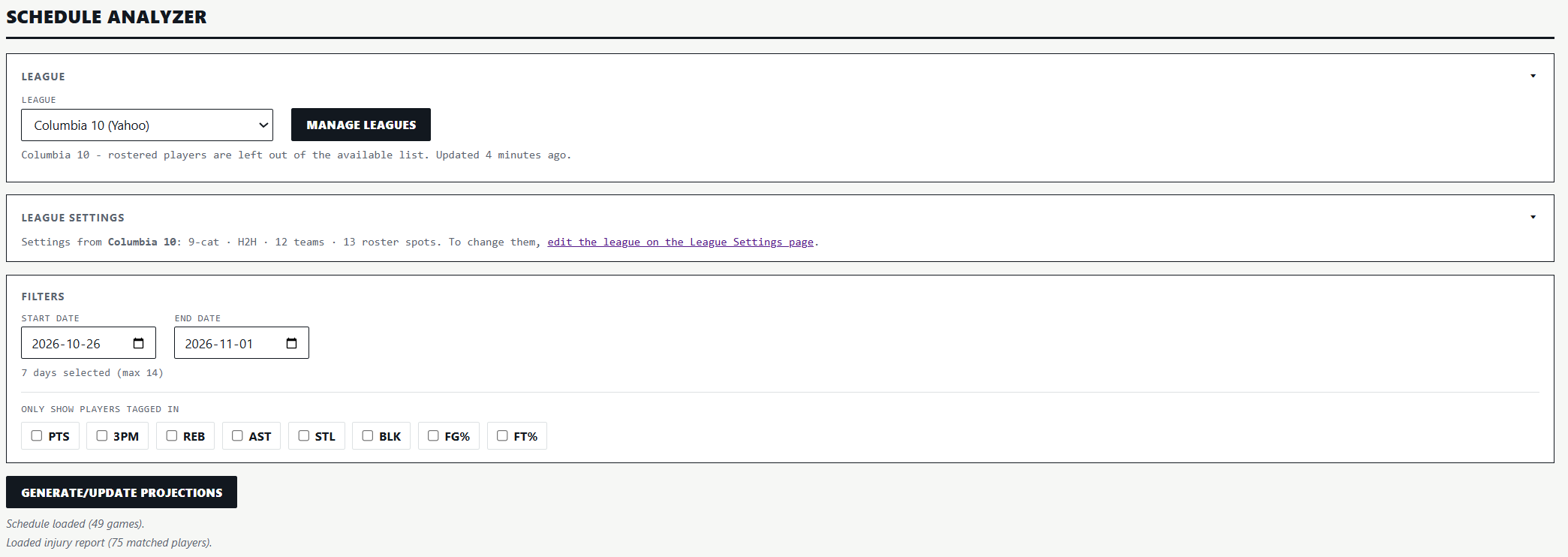
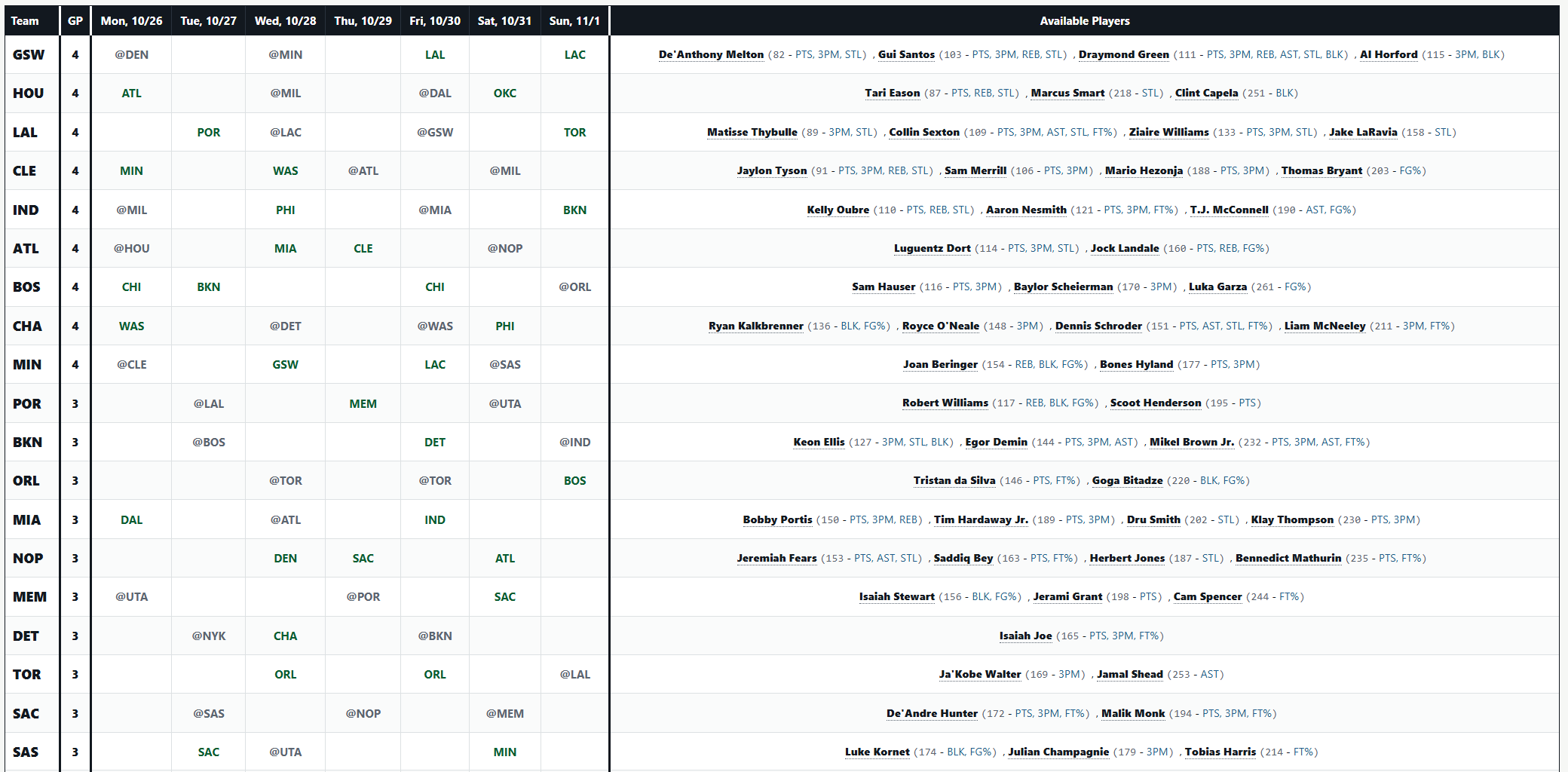
The number beside each player’s name is the player’s rank over that selected period, given your league’s settings. The categories listed after the player’s name are the categories the player can help in. There are thresholds the player must meet in order for the tag to pop up. Those thresholds are based on the player’s z-score in each category. The tool adjusts for league size, which will have an impact on which tags pop up. For example, in 10-team leagues, Devin Vassell would not get a PTS tag because his points z-score wouldn’t meet the threshold for earning that tag. However, in 16-team leagues, Vassell would get that tag because the deeper player pool would boost his z-score in the category above the threshold. The category league side of the tool also has an option to only show players with a specific tag. For example, if you are looking for the best assists streamers over a certain period, you can adjust the tool so that it only shows players with the AST tag.
As is the case with all of Elite Fantasy Basketball’s tools, the Schedule Analyzer can connect to any league on Yahoo, ESPN, or Fantrax, and includes an option to manually upload your league. It also ties to all the other regular-season-focused tools. If you upload your league in one of those tools, the data for your league will automatically upload to the Schedule Analyzer.
Team Building Tool
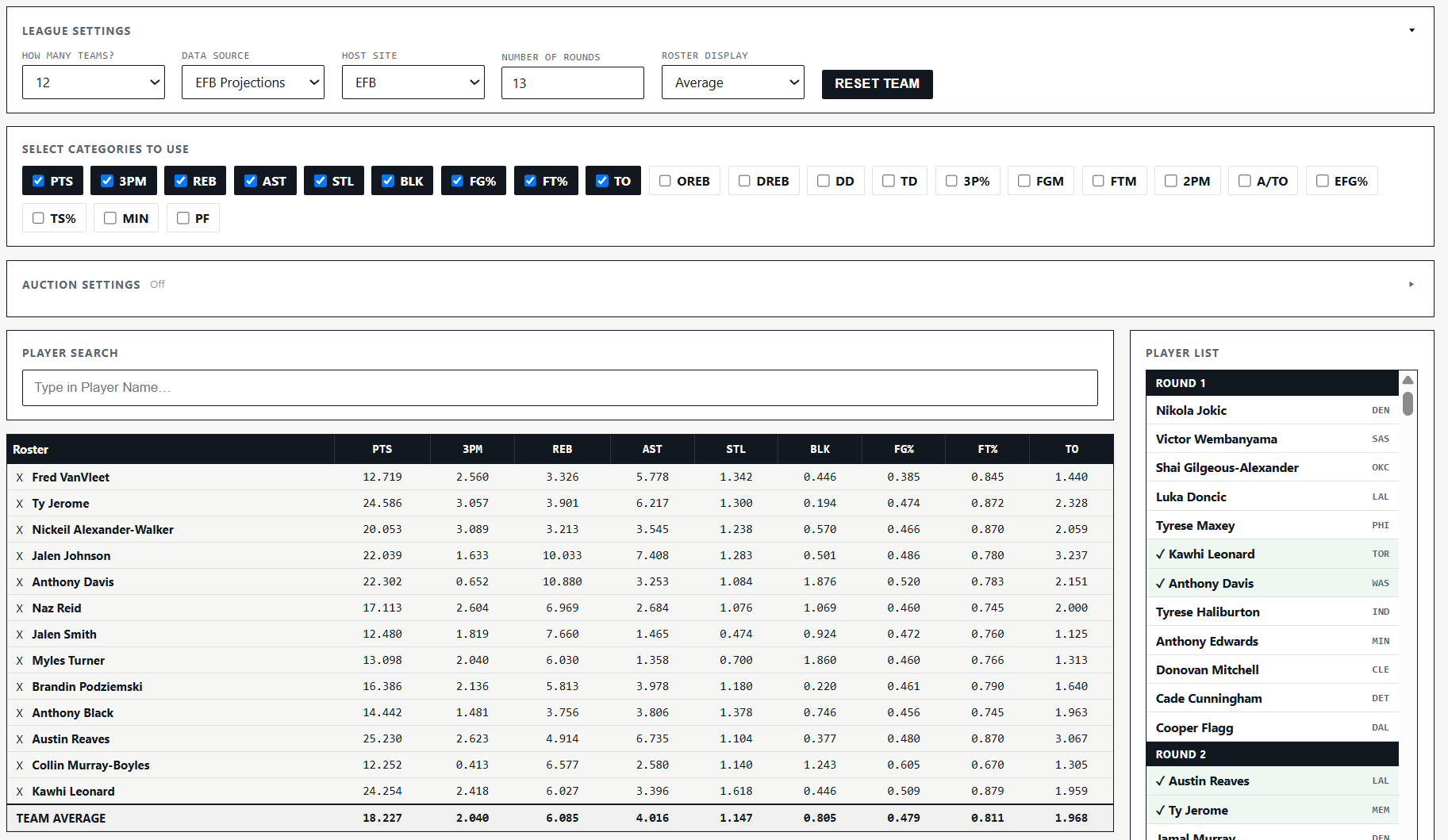
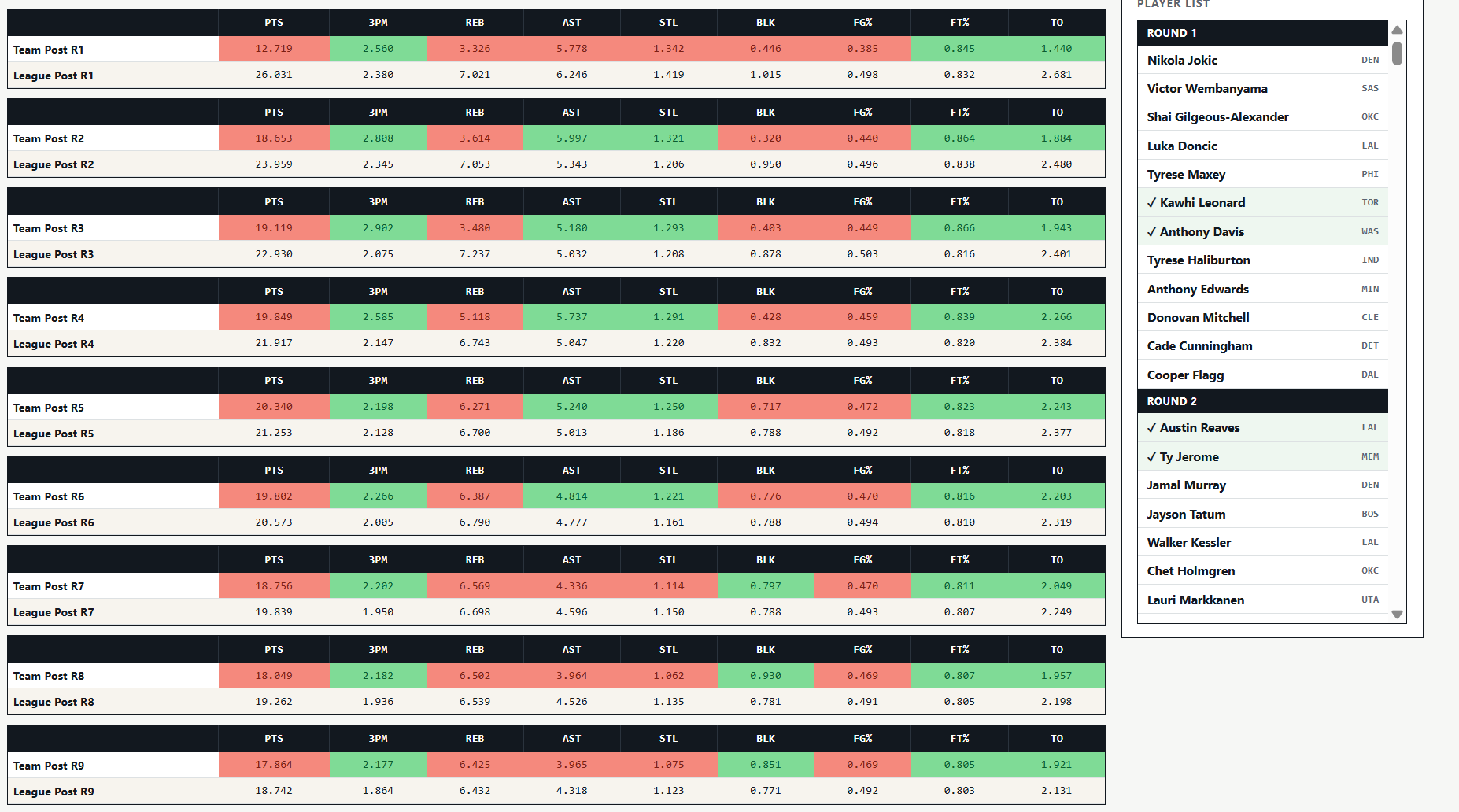
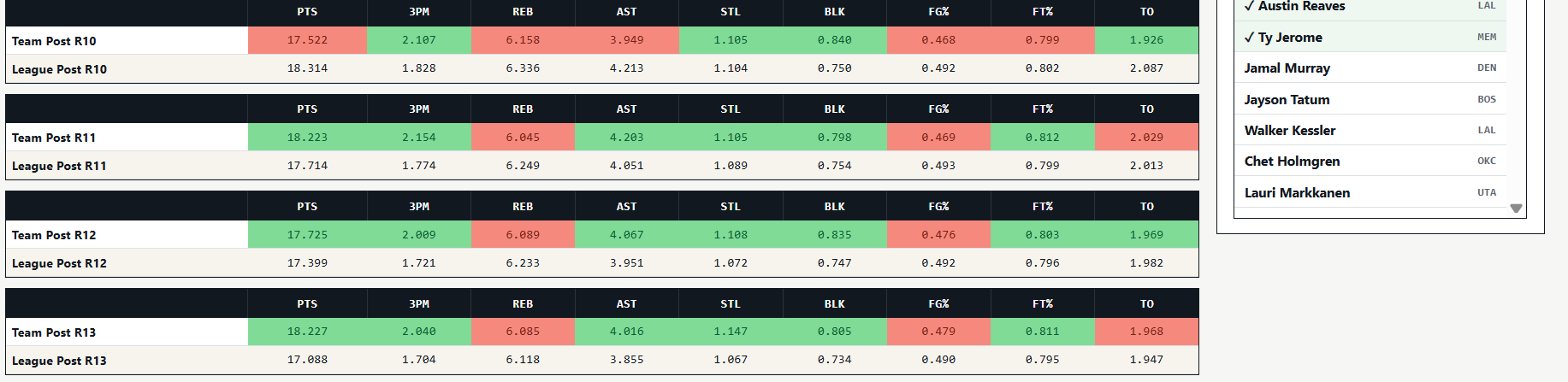
While the Team Building Tool’s primary purpose is to allow users to put together put together and test out different draft strategies, it is still quite useful during the regular season for quickly figuring out the impact of picks up or trades on your team. The tool makes it very easy to determine where your team’s strengths and weaknesses lie.