League Settings & Upload Page
The league upload process just got a major revamp. There is now a page dedicated to uploading your leagues and managing their settings.
The page is called League Settings & Upload and can be found under the Tools menu. Subscribers can also follow this link to access it: League Settings & Upload
The upload process is the same as before. You only need your league ID. Yahoo users will also need the EFB extension. ESPN and Fantrax users will not. 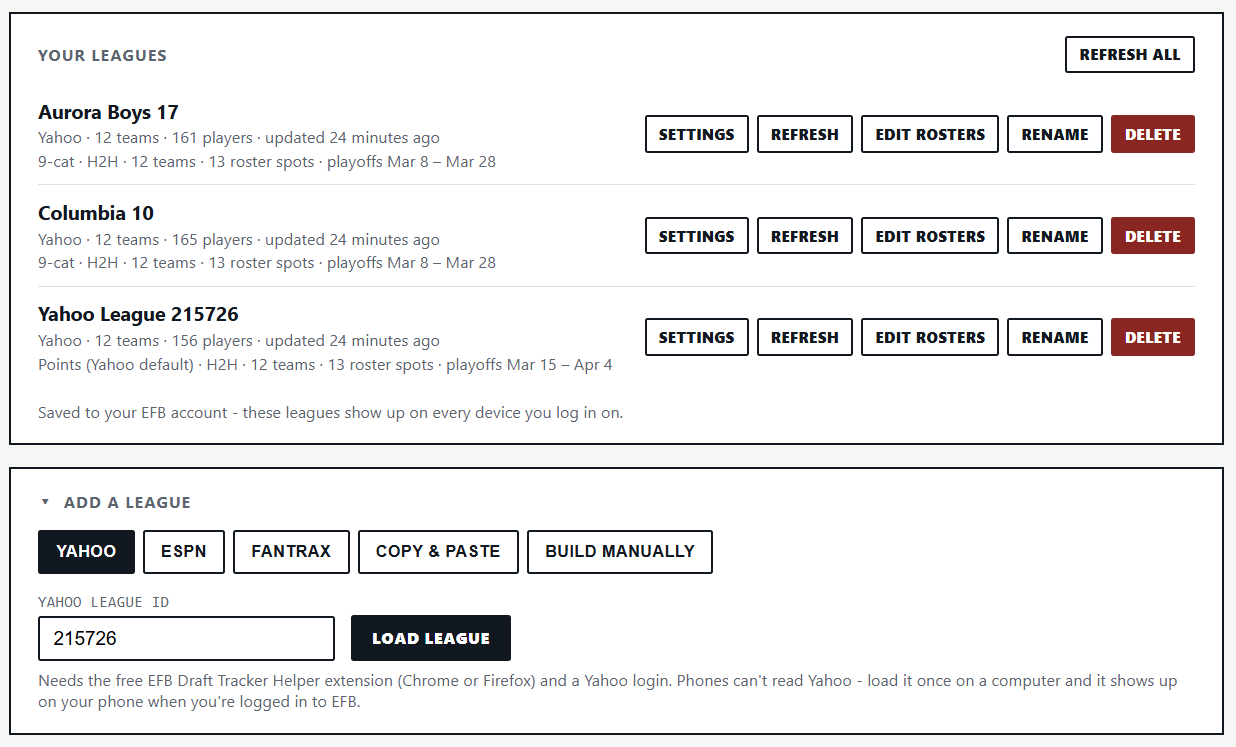
All your leagues will be uploaded through this page. There is no limit to how many leagues you can add. You can also refresh your leagues from this page.
Note: Yahoo users will need to upload their league from a desktop computer. ESPN and Fantrax users can upload their league from either a computer or mobile. After the initial upload, Yahoo users can use all the tools both on a desktop and on mobile.
The settings you enter on this page will be used in all the tools. You will not need to adjust them again. This screenshot shows the settings that can be adjusted for category leagues.

This screenshot shows the settings that can be adjusted for points leagues.

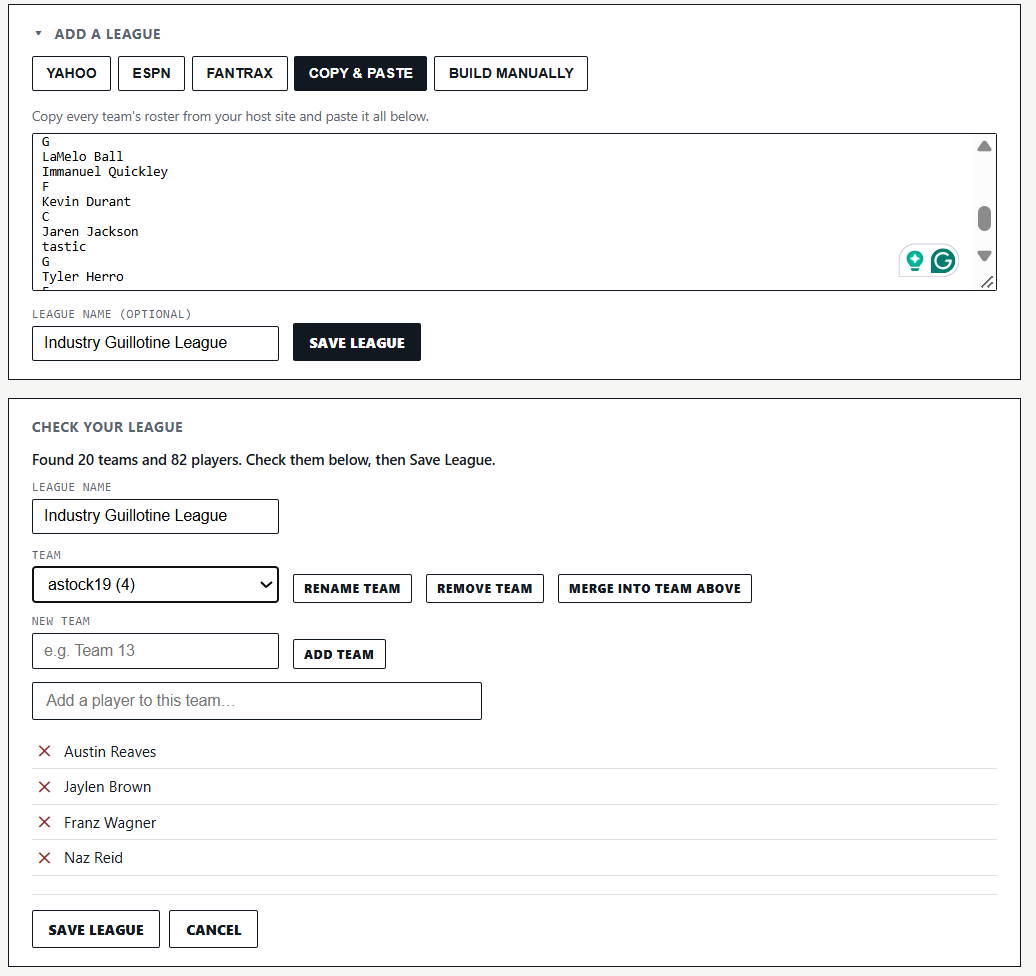
There are also manual upload and copy-and-paste options. The copy-and-paste option has been upgraded so that it can read any type of roster data that has been posted. When a league is uploaded through via copy and paste, a review page will pop up where you can confirm the teams and players have been mapped properly.
Here is a screenshot of my 20-team, four-player Industry Guillotine league being added to the site.
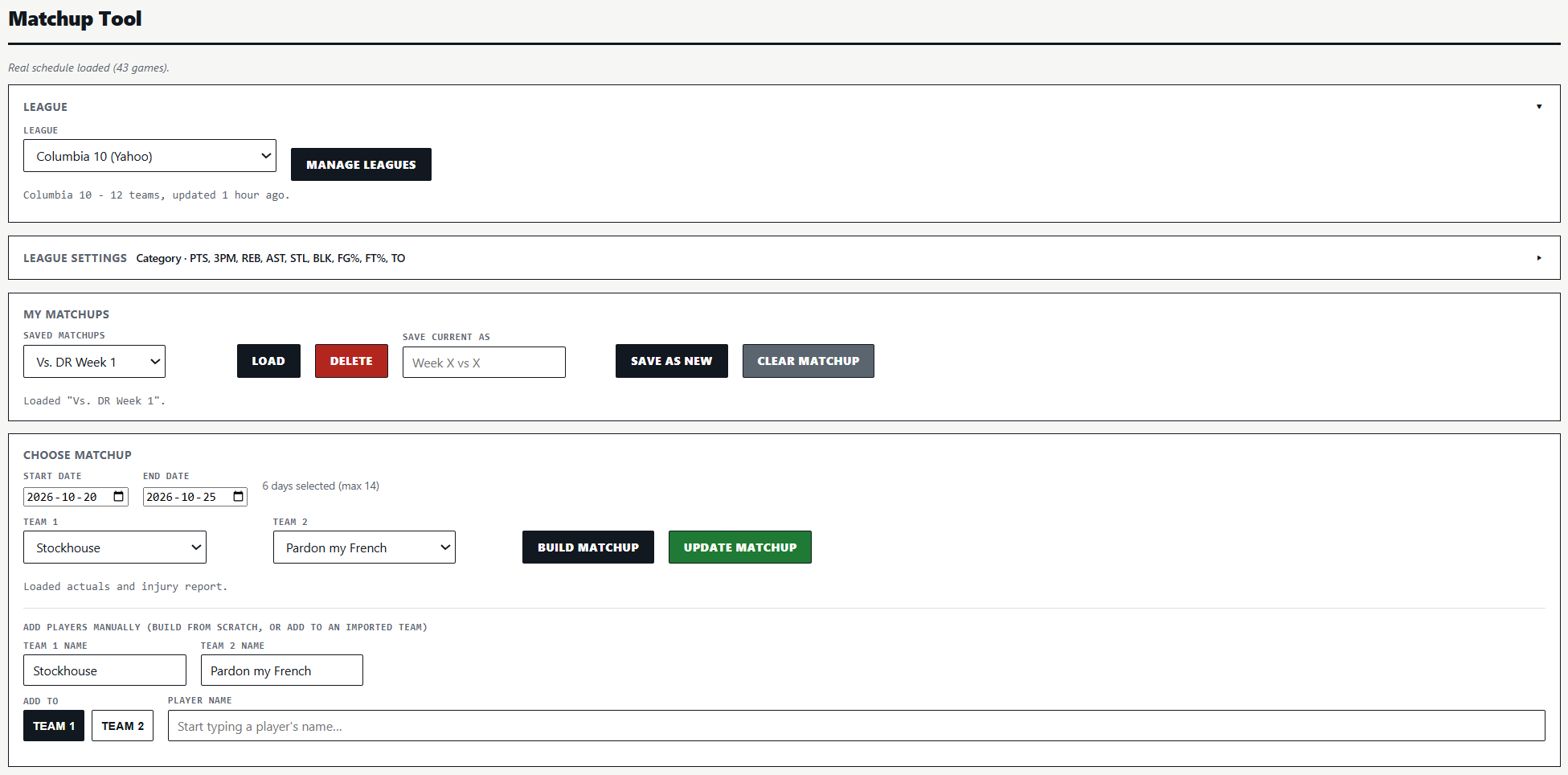
All the tools have been reworked so that users only have to select their league when they use the tools. The tools will then pull the settings from the League Settings & Upload page. The tools remember the last league you were analyzing, so when you switch from tool to tool, you will not need to select the league from the league dropdown menu every time.
For example, this is what the settings portion of the Matchup Tool now looks like. The league dropdown menu includes all the leagues I have uploaded.
The new format makes everything flow much better. The goal was to make everything more user-friendly. It is a notable upgrade in that regard.
You do not need to re-add any leagues that were uploaded prior to the upgrade. However, if you have set up your leagues, you should go to the League Settings & Upload page and adjust your settings.
If you have any questions, please do not hesitate to reach out through the contact page, the Discord channel, or through X at AdamGStock