26/27 New Feature: Schedule Analyzer
For access to the Schedule Analyzer, sign up here: SUBSCRIBE
The new Schedule Analyzer tool will look very familiar to returning subscribers. The Schedule Analyzer is the tool version of the streaming guides I put out at the beginning of each week. In addition to providing you with a best available players list for the selected period, the tool also highlights which categories each player can help in. Here is a screenshot of the tool’s recommendations for opening night. The tool has been connected to one of my leagues, so it only shows the players available in that league.
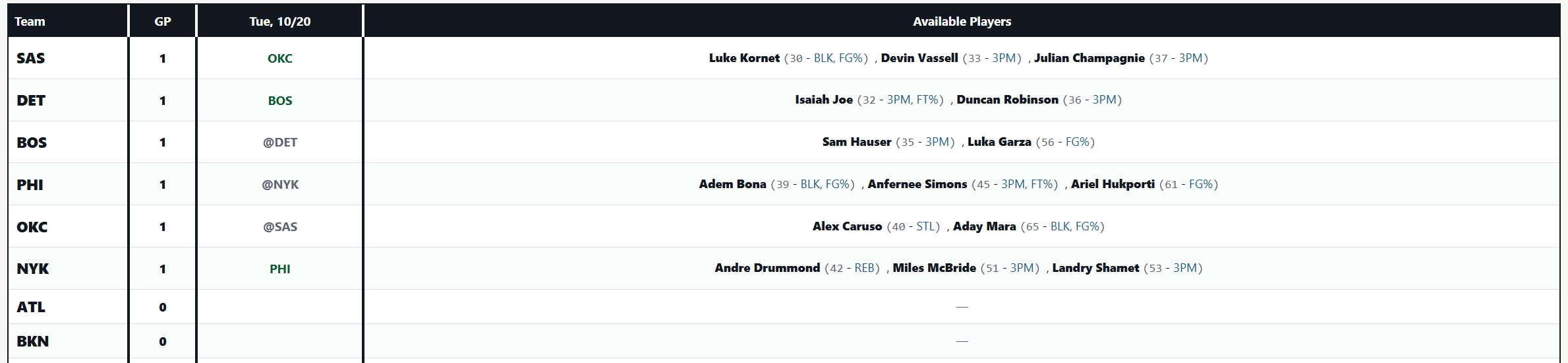
The number beside each player’s name is the player’s rank over that selected period, given your league’s settings. The categories listed after the player’s name are the categories the player can help in. There are thresholds the player must meet in order for the tag to pop up. Those thresholds are based on the player’s z-score in each category. The tool adjusts for league size, which will have an impact on which tags pop up. For example, in 10-team leagues, Devin Vassell would not get a PTS tag because his points z-score wouldn’t meet the threshold for earning that tag. However, in 16-team leagues, Vassell would get that tag because the deeper player pool would boost his z-score in the category above the threshold. The category league side of the tool also has an option to only show players with a specific tag. For example, if you are looking for the best assists streamers over a certain period, you can adjust the tool so that it only shows players with the AST tag.
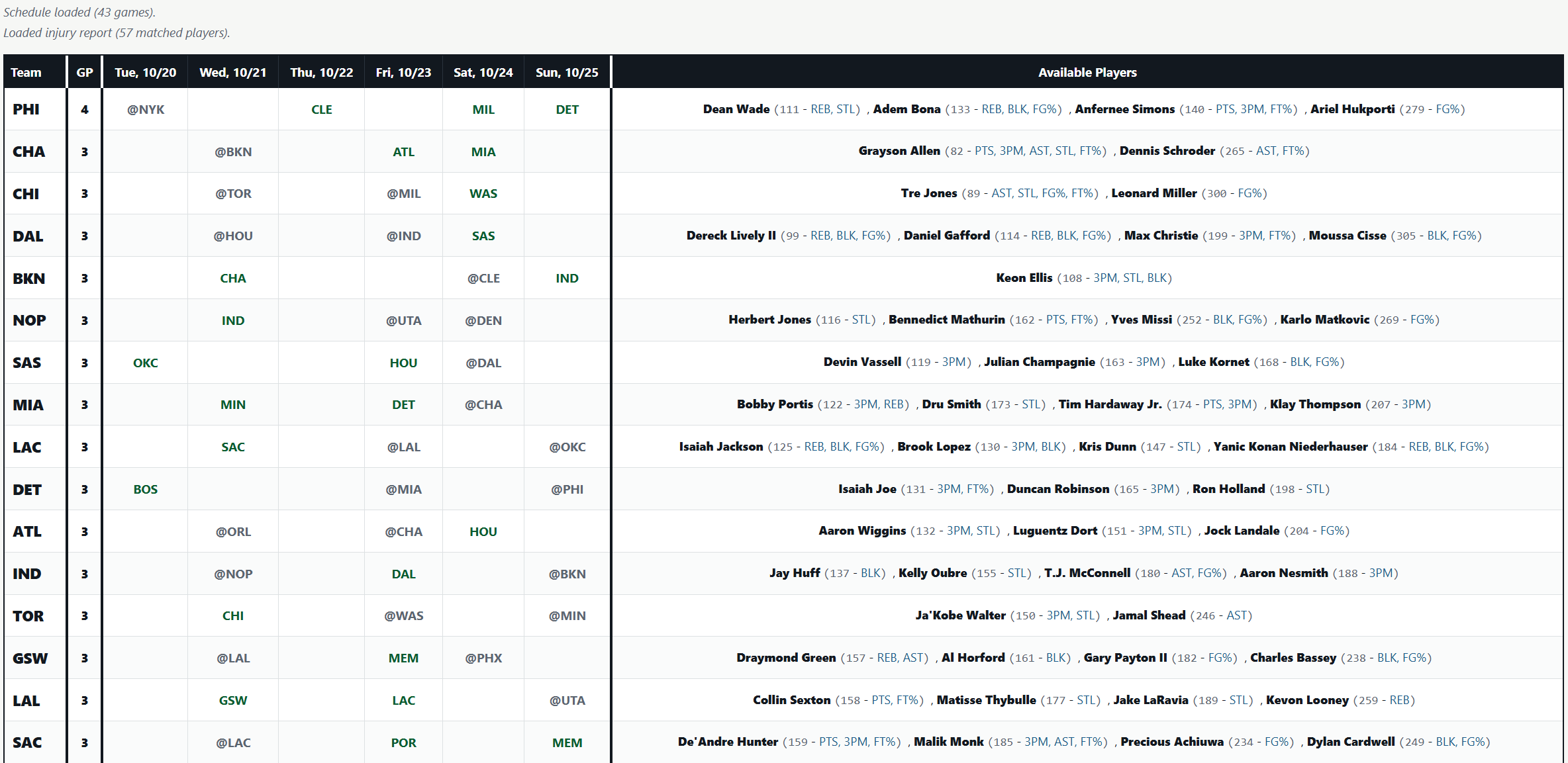
Here is another screenshot of the tool with the period selected being all of Week 1.
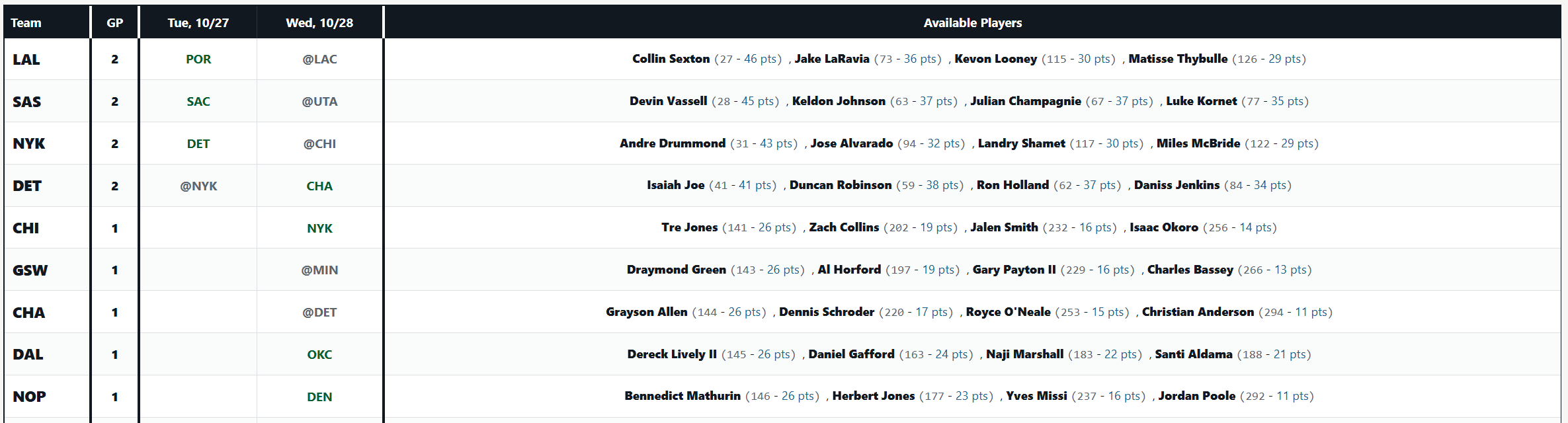
The points league side of the tool looks slightly different, but functions in a similar way. It provides you with the highest-scoring players over the selected period. Here is a screenshot of the tool showing the best streaming options for a two-day period at the end of October.
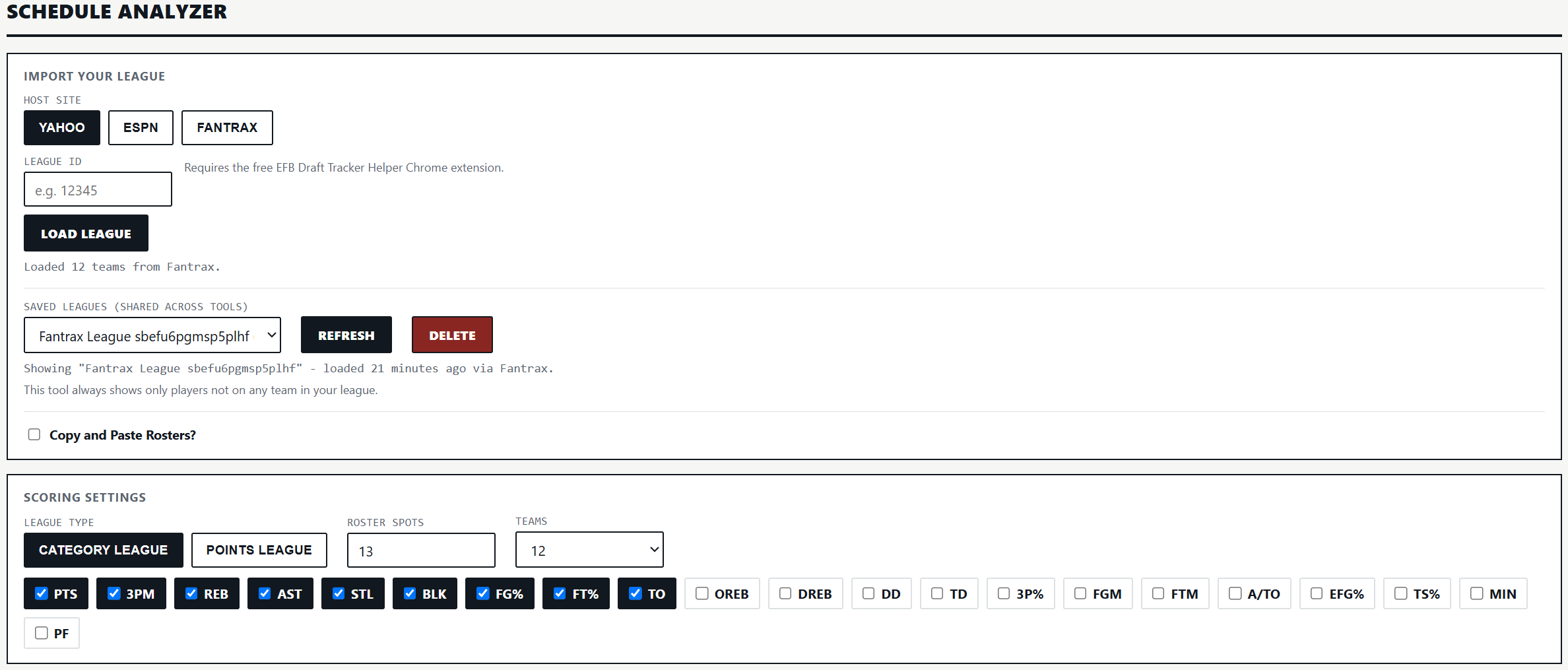
As is the case with all of Elite Fantasy Basketball’s tools, the Schedule Analyzer can connect to any league on Yahoo, ESPN, or Fantrax, and includes an option to manually upload your league. It also ties to all the other regular-season-focused tools. If you upload your league in one of those tools, the data for your league will automatically upload to the Schedule Analyzer.
Here is a screenshot of the settings options for the tool. The setup mirrors the site’s other tools.

Subscribers can access the tool either through the Tool dropdown menu at the top of the page or by following this link: